XYZ three-axis cannot move inspection steps
0%
If the XYZ can’t move:
Step 1. Check whether the red Emergency Stop button on the control box is pressed.
Step 2. Check whether the USB cable is connected to the computer normally, and If your computer is a laptop, you must use its power adapter to power the computer. Plug the USB cable into other USB port of the computer and then try.
Step 3. Turn on the power switch and check whether the stepper motor is self-locking. If the stepper motor can be turned by hand, it means that the motor is not self-locking.
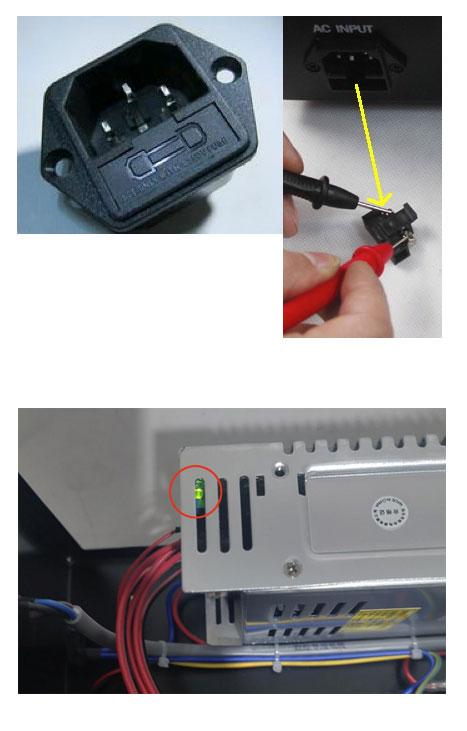
Step 4. If the stepper motor is NOT self-locking, turn off the power switch and check the fuse (see attached picture)
Step 5. If there is no problem with the fuse, open the control box, turn on the power switch, and check whether the green light of the power module is on (see attached picture). If the light is not on, the power supply module burnt out.
In addition, if you are a Japanese user, please first test whether your input voltage is stable or greater than 100V. It is recommended that you use a transformer to increase the voltage to 110V.