Blog -omiocnc.com
Important Notice:
omiocnc.com is undergoing a full‑site upgrade this weekend. Orders will be temporarily suspended; please place your order after the upgrade is complete.
Site‑based email services will be unavailable
during the upgrade. For urgent matters, please contact [email protected].
We apologize for any inconvenience. — Sep 08, 2026

Blog

Please attention (important!) :

Prohibit to plug or unplug the USB cable in an energized state! Otherwise it'll cause to burn electronic components.
Correct steps:
Step 1, plug the USB cable;

Step 2, open the software (to establish communication connection);
Step 3, turn on the laser power;
Step 4, start working.
Step 5, after working, turn off the laser power first, then quit the software;
If you want to unplug the USB, you must turn off the power and quit the software.
Read More

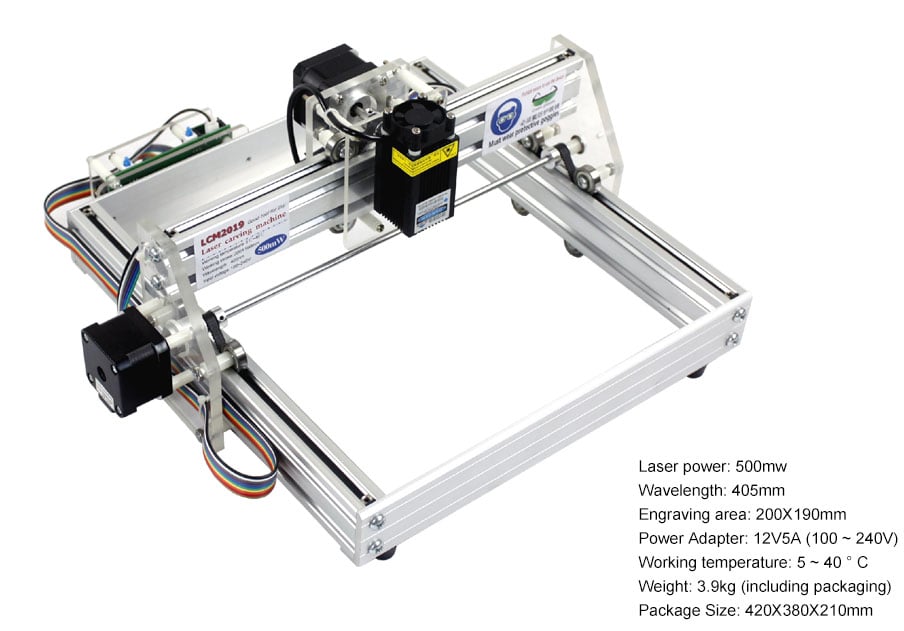
LCM2019 laser engraving machine comes from “open source laser engraving machine” project. As it uses a comparative small power 500mw laser, its market position is a DIY gadget, It is not applicable to batches of cutting materials or production.
Applicable materials for engraving : wood, some plastics, paper, ox horn, leather, pearl wool and so on.
Applicable materials for cutting : paper, slim wood sheet, sticky note and pearl wool.
Inapplicable materials: metal, stone, ceremics, jewellery and jade,reflecting materials , transparent and semi-transparent materials.

Read More
per page

2 Item(s)